The Digital Fortress: Why Your 2026 Home Needs a Firewall Router
The Digital Fortress: Why Your 2026 Home Needs a Firewall Router
In our last few guides, we discussed how switches connect your devices and how standard routers direct traffic. But in the modern internet landscape—where AI-driven botnets scan millions of IPs per second—simply "directing" traffic isn't enough. You need to police it.
Enter the Firewall Router. While every router has a basic firewall, a dedicated firewall router (often running software like PfSense, OPNsense, or proprietary enterprise OS) is a different beast entirely. It doesn't just pass letters; it opens them, reads them, checks the sender's ID against a criminal database, and scans the paper for poison before letting it into your house.
This guide will explain exactly how these security appliances work, why the "default" ISP router is no longer sufficient for a serious 2026 homelab, and how you can build your own digital fortress.
What Actually Is a Firewall?
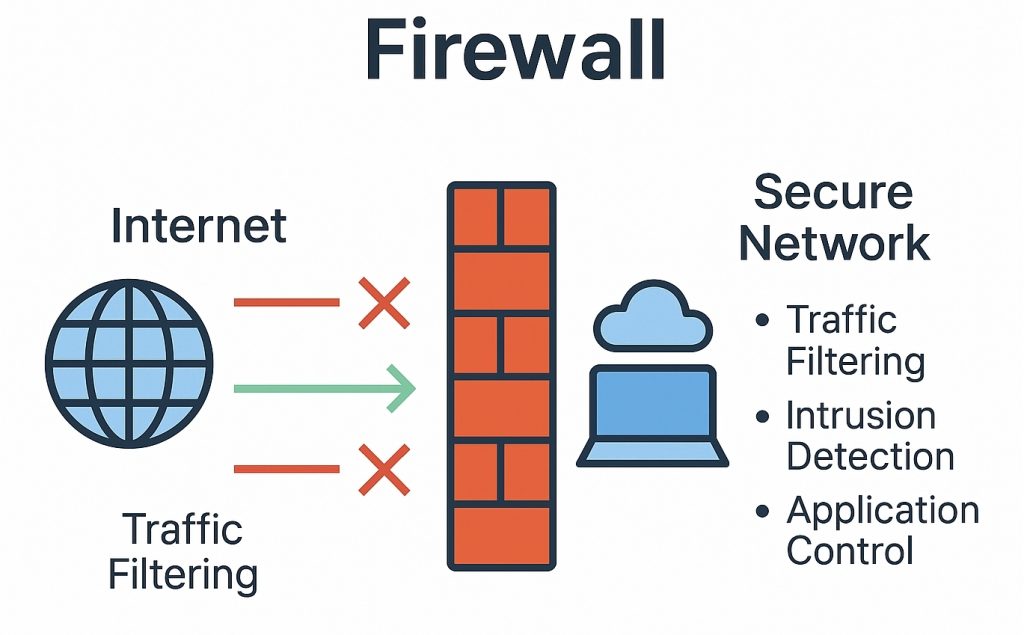
At its simplest, a firewall is a barrier between a trusted network (your Home LAN) and an untrusted network (the Internet). It enforces a set of rules called an Access Control List (ACL). These rules dictate what traffic is allowed to pass and what gets dropped.
Think of it like a nightclub bouncer. The bouncer has a clipboard with a list of rules:
- Rule 1: If you are on the VIP list (Trusted Device), come in.
- Rule 2: If you are wearing sneakers (Malicious Packet), stay out.
- Rule 3: If I don't know who you are (Unsolicited Traffic), you don't get in.
In a standard consumer router, these rules are fixed and hidden. In a Firewall Router, you write the rules.
The Mechanics: How It Filters Traffic
Firewalls have evolved significantly. To understand the 2026 standard, we need to look at the three generations of filtering tech.
1. Packet Filtering (The Old School)
This is the most basic form. The firewall looks at the "header" of the data packet—the digital envelope. It checks the Source IP, Destination IP, and Port Number. If you block Port 80, it stops all web traffic. It's fast, but it's dumb. It's like checking a passport but not looking at the person's face.
2. Stateful Packet Inspection (SPI)
This is the standard for most decent routers today. An SPI firewall remembers the context of a conversation. If you send a request to Netflix, the firewall makes a note: "User asked for Netflix video." When a packet comes back from Netflix, the firewall checks its memory. "Did anyone ask for this? Yes? Okay, let it in."
If a packet arrives from Netflix that you didn't ask for, the SPI firewall drops it. It understands the "State" of the connection.
3. Deep Packet Inspection (DPI) & Next-Gen Firewalls (NGFW)
This is where dedicated Firewall Routers shine. DPI doesn't just look at the envelope; it opens the letter. It analyzes the actual payload of the data. It can tell the difference between a legitimate Zoom call and a piece of malware pretending to be a Zoom call. In 2026, with encrypted traffic everywhere, NGFWs use SSL Inspection to decrypt, scan, and re-encrypt data on the fly to catch hidden threats.

IDS and IPS: The Active Guards
A true Firewall Router runs two critical services that a standard ISP box does not: IDS (Intrusion Detection System) and IPS (Intrusion Prevention System).
- IDS is the alarm system. It watches network traffic for suspicious patterns (signatures). If it sees a pattern that matches a known exploit (like the "Log4j" attacks of the past), it logs an alert: "Someone is rattling the doorknob!"
- IPS is the automated turret. It takes that alert and instantly creates a new firewall rule to block the attacker's IP address. It doesn't just watch; it reacts.
In 2026, these systems are often powered by AI models that can detect "Zero-Day" threats (attacks that have never been seen before) by analyzing behavioral anomalies. If your smart fridge suddenly starts trying to upload 5GB of data to a server in an unknown country, the IPS will kill the connection instantly, assuming the fridge has been hacked.
The Hardware: What Do You Buy?
You have two main paths when upgrading to a Firewall Router:
1. The Appliance Route (Ubiquiti / Firewalla / Netgate)
These are pre-built boxes. You buy a Ubiquiti Dream Machine or a Netgate (PfSense) appliance. They are plug-and-play, power-efficient, and come with professional support. For most prosumers, this is the sweet spot between ease of use and power.
2. The DIY Route (The Homelab Special)
This is for the true enthusiasts. You take an old PC or a surplus server, install a 4-port Intel Network Card (NIC), and install an open-source firewall OS like PfSense or OPNsense.
Why do this? Control. An OPNsense box gives you enterprise-grade features (Geo-blocking, VLAN tagging, HAProxy, WireGuard VPNs) for free. You only pay for the hardware. It allows you to segment your network into granular zones:
- LAN: Trusted devices (PC, Phone).
- IoT VLAN: Untrusted devices (Smart Bulbs, Tuya Plugs). These can talk to the internet but are blocked from talking to your main LAN.
- Guest VLAN: For visitors. They get internet access but cannot touch anything else.
- Lab VLAN: For testing dangerous software. It is completely isolated.
Why You Need This in 2026
You might ask, "I'm just a regular person, why do I need military-grade security?"
The answer lies in your devices. The average 2026 home has over 40 connected devices. Most of them are cheap IoT gadgets with terrible security. A hacker doesn't need to hack your laptop; they hack your 5 smart fish tank thermometer. Once they are inside the fish tank thermometer, they are inside your network.
A standard router lets that hacked thermometer talk to your laptop. A Firewall Router with VLANs says, "No. You are a thermometer. You stay in the IoT zone." It contains the breach.
Conclusion
Upgrading to a dedicated Firewall Router is the single best thing you can do for your digital hygiene. It moves you from a passive participant in your network's security to an active administrator. It allows you to see the invisible war happening on your internet connection every day—and win it.