The Digital Traffic Controller: How Your Router Actually Works (A 2026 Guide)
The Digital Traffic Controller: How Your Router Actually Works (A 2026 Guide)
In the hierarchy of modern household appliances, the humble router often sits somewhere between the toaster and the refrigerator. It is an essential utility. We tuck it behind the TV stand, ignore it as long as the latest 8K stream is playing smoothly, and curse it violently when the internet goes down. In 2026, where our homes are saturated with WiFi 7 devices, smart sensors, and AI assistants, the router is arguably the most critical piece of hardware in the building.
But what is that blinking box actually doing? Many people use the terms "modem," "router," and "WiFi" interchangeably. While they are related, they are distinct jobs. If the modem is the faucet that brings the water (internet) into your house, the router is the complex system of pipes and valves that ensures the water gets to the shower, the sink, and the dishwasher at the right pressure and temperature, all without leaking.
This guide will strip away the jargon and explain the fascinating machinery inside the plastic box that powers your digital life.
The Fundamental Concept: Connecting Two Worlds
At its core, a router's job is simple: it connects two or more different networks and decides how to move data between them. In a home environment, it stands as the gateway between two very different worlds:
- The WAN (Wide Area Network): This is the internet. It is vast, untrusted, and public. It is the wild west outside your front door.
- The LAN (Local Area Network): This is your home. Your phone, your laptop, your smart fridge, your homelab server. It is private, trusted, and controlled by you.
Without a router, your laptop would have to connect directly to the internet modem. This would mean only one device could get online at a time, and that device would be completely exposed to every hacker on the web. The router solves both problems simultaneously.
The Post Office Analogy: Understanding IP Addresses
To understand how routers manage traffic, you need to understand IP addresses. Think of an IP address like a physical street address for digital data. Every single piece of data that travels across a network—an email, a Netflix frame, a WhatsApp message—is wrapped in a digital envelope. That envelope has a "To" address and a "From" address.
Your ISP (Internet Service Provider) gives your home one single Public IP Address (e.g., 198.51.100.45). This is the address of your house on the global internet street map. If anyone on the internet wants to send data to you, they send it here.
However, inside your house, you have 50 devices. Your TV needs data, your phone needs data, and your thermostat needs data. If they all share one public address, how does the router know which incoming packet belongs to which device?
The Magic Trick: NAT (Network Address Translation)
This is the single most important job of the home router. It performs a magic trick called NAT (Network Address Translation).
Imagine your router is the mailroom manager for a large corporate skyscraper (your home). The skyscraper has one official street address for all incoming mail. Inside the building, there are hundreds of employees (your devices) in different cubicles.
The Outgoing Process
When your laptop wants to request Google.com, it creates a data packet. It puts its own internal "cubicle number" (Private IP, usually something like 192.168.1.50) in the "From" field.
The packet gets to the router. The router stops the packet. It says, "Wait, you can't send a letter out into the world with just a cubicle number on it. The post office won't understand that."
The router takes a pen, crosses out your laptop's private IP in the "From" field, and writes the router's own Public IP Address instead. Crucially, it makes a note in a giant logbook (the NAT Table): "I just sent a letter to Google on behalf of the laptop in cubicle 192.168.1.50." It then sends the packet out to the internet modem.
The Incoming Process
A split second later, Google sends a reply packet back. The "To" address on this reply is your router's Public IP.
The router receives the reply. It checks its logbook. It sees the entry: "Ah, I was expecting a reply from Google for the guy in cubicle 192.168.1.50."
It crosses out its own Public IP on the envelope, writes in the laptop's Private IP, and forwards it into your home network. Your laptop receives the website, completely unaware of the switcheroo that just happened.
This process happens thousands of times per second for every device in your home simultaneously. NAT is why 50 devices can share one internet connection.
The Local Manager: DHCP
We mentioned those internal "cubicle numbers" (Private IPs like 192.168.1.50). Where do those come from?
Before routers were smart, you had to manually type an IP address into every device you bought. It was a nightmare of conflicts. Today, we use DHCP (Dynamic Host Configuration Protocol).
DHCP is another service running on your router. Think of it as the HR department that assigns cubicles to new employees. When your friend comes over and connects their phone to your WiFi, their phone shouts, "Hello! Is anyone in charge here? I need an address!"
Your router's DHCP server hears this and replies, "Welcome! Here is an available IP address: 192.168.1.105. You can use it for the next 24 hours." It ensures no two devices ever grab the same address, preventing digital chaos on your LAN.
The Bouncer: The Firewall
Because the router sits right at the entry point to your home, it is the perfect place for security. By default, almost all home routers act as a Stateful Firewall.
Remember the NAT logbook? The router uses that for security. The basic rule of the router firewall is this: "If nobody inside the house asked for it, don't let it in."
If a hacker on the internet randomly tries to send a malicious packet to your public IP address, it hits your router. The router checks its logbook. It sees that no device inside your network recently sent a request to that hacker's IP. The router assumes it's unsolicited junk mail and immediately drops the packet into the digital trash can. This simple mechanism stops the vast majority of automated internet attacks.
The Modern 2026 Router: More Than Just Routing
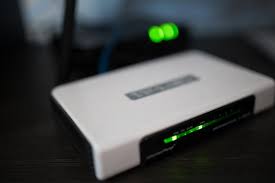
So far, we have described a "pure" router. But if you look at the device in your living room, it's likely doing much more than that. In 2026, the consumer "router" is actually a combo device wearing several hats at once.
1. The Wireless Access Point (WiFi 7)
A pure router only has Ethernet ports. The antennas sticking out of your box belong to the built-in Wireless Access Point (AP) component. It converts wired data signals into radio waves. Modern routers supporting WiFi 7 use advanced techniques like Multi-Link Operation (MLO) to blast gigabits of data across multiple bands simultaneously to your VR headsets and 8K TVs.
2. The Network Switch
Those 4 or 8 Ethernet ports on the back? That's a built-in network switch, allowing you to hardwire your desktop PC or game console directly into the LAN.
3. The Traffic cop (QoS)
Modern routers use Quality of Service (QoS). Imagine your internet pipe is a highway. If someone starts downloading a massive 100GB game update, they might clog all the lanes, making your Zoom call stutter. A router with smart QoS identifies the Zoom call as "priority traffic" and opens a dedicated express lane for it, slowing down the game download slightly to ensure real-time communication stays smooth.
Clearing the Confusion: Modem vs. Router
Before we wrap up, let's clarify the most common point of confusion.
- The Modem (The Translator): Your ISP (cable company or fiber provider) sends data to your house in a format computers don't understand—usually light pulses over fiber optic cable or electrical signals over coaxial cable. The Modem's only job is to translate those signals into standard Ethernet data that networking gear can read. It usually has only one Ethernet port.
- The Router (The Manager): The router takes that single Ethernet connection from the modem and manages it, performs NAT, provides security, and distributes access to all your devices via WiFi and its built-in switch ports.
Note: Many ISPs nowadays provide a single box that contains both the modem and the router inside one plastic shell.
Conclusion
The router is a marvel of miniaturized computing. It is a postmaster, a security guard, an HR manager, and a traffic cop, all wrapped into one. It processes tens of thousands of data packets every second, ensuring that the meme you just sent goes to your friend's phone and not your neighbor's smart toaster.
As our homes become increasingly connected, understanding this vital piece of machinery isn't just for nerds—it's essential for anyone who wants a fast, stable, and secure digital life in 2026. So give that blinking box in the corner a little respect; it's working harder than you think.